- Get Started
- Video Tutorials
- Knowledge Base
- Channels
- Listings
- Inventory
- Orders
- Settings
- FAQs & Troubleshooting
How to use the Product Migration feature in 4Seller to quickly create inventory products?
4Seller supports importing product and inventory data directly from ShipStation and Veeqo. Simply export the data from either platform and import it into 4Seller with one click to quickly create inventory products, migrate product records, and complete the fulfillment-related fields, improving management efficiency.
Notes:
1. Before importing, you must first export the data from the corresponding platform.
2. The template cannot distinguish between individual products and bundles. Please export individual products only. Bundles will be treated as individual products during import.
How to Export Product and Inventory Files from ShipStation and Veeqo?
How to import into 4Seller?
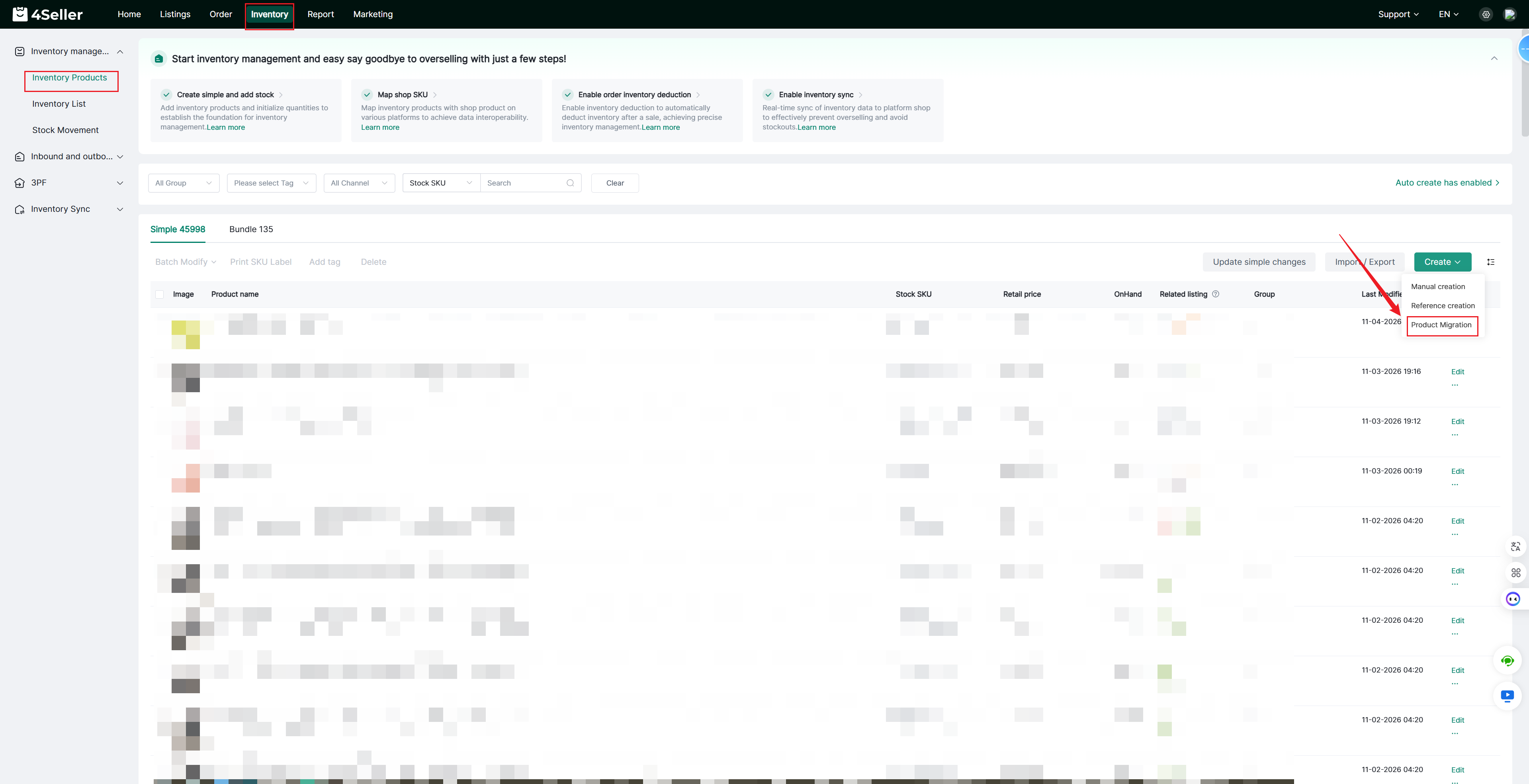
Step 1: Click Inventory> Inventory products> Create > Product Migration
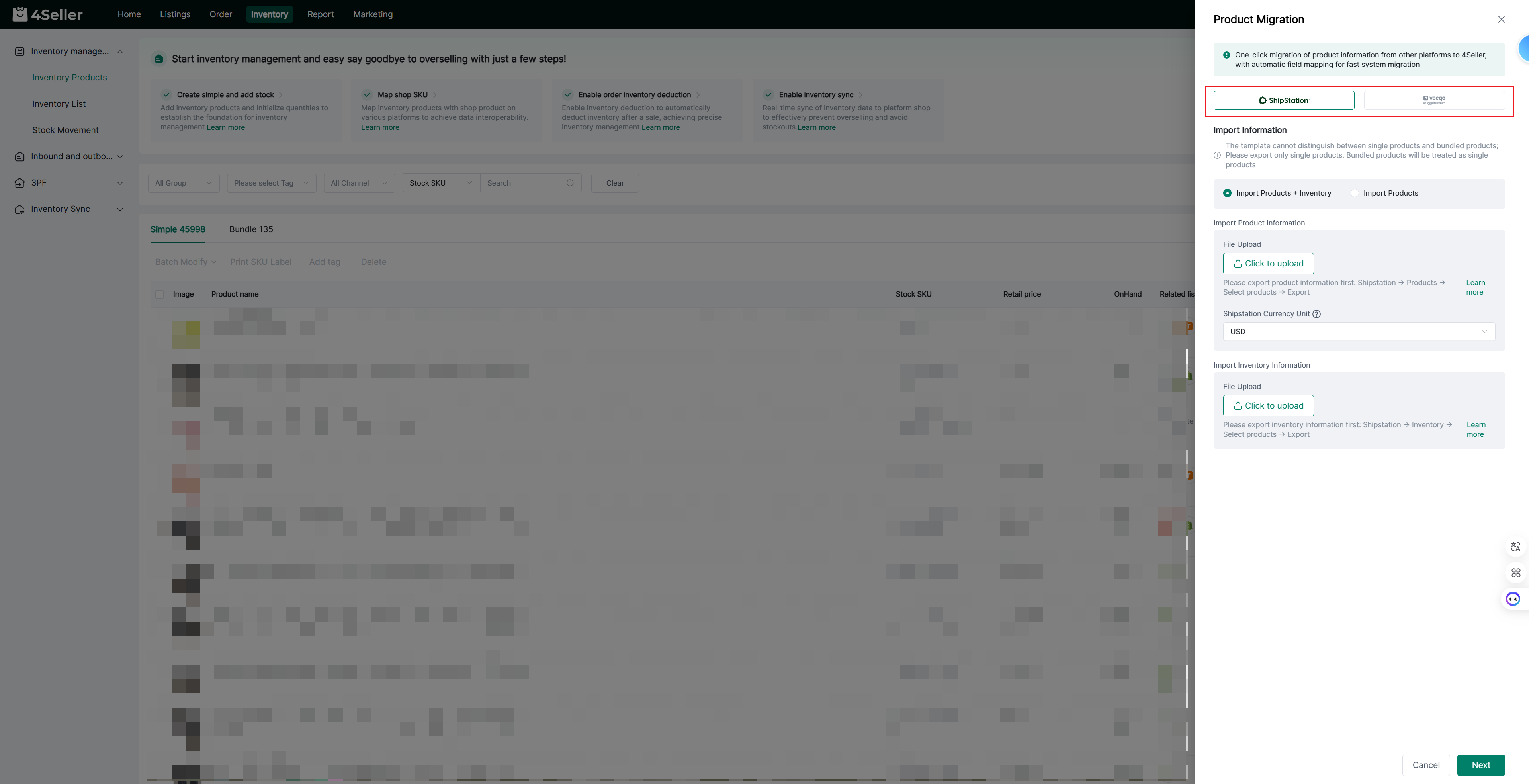
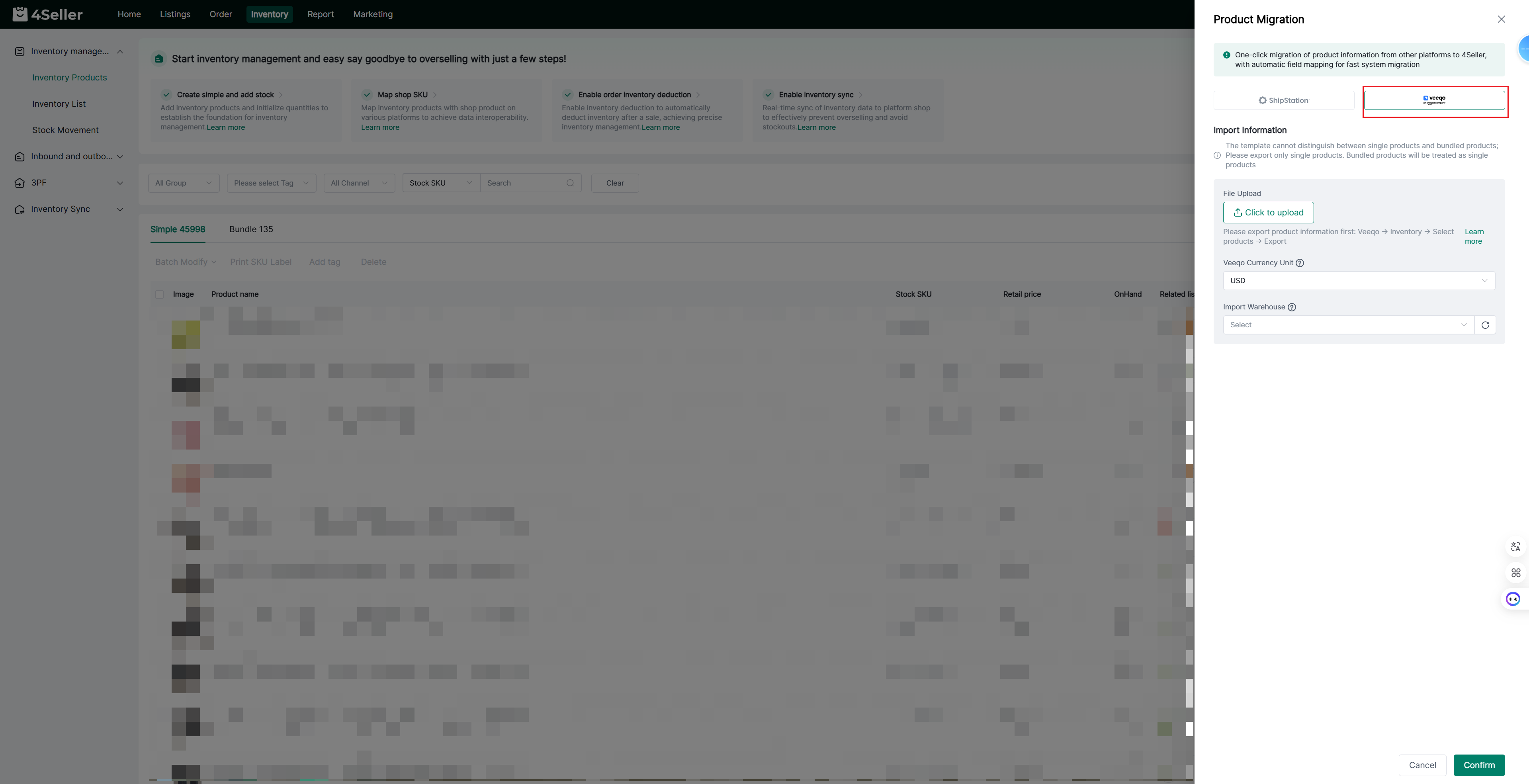
Step 2. Select ShipStation or Veeqo
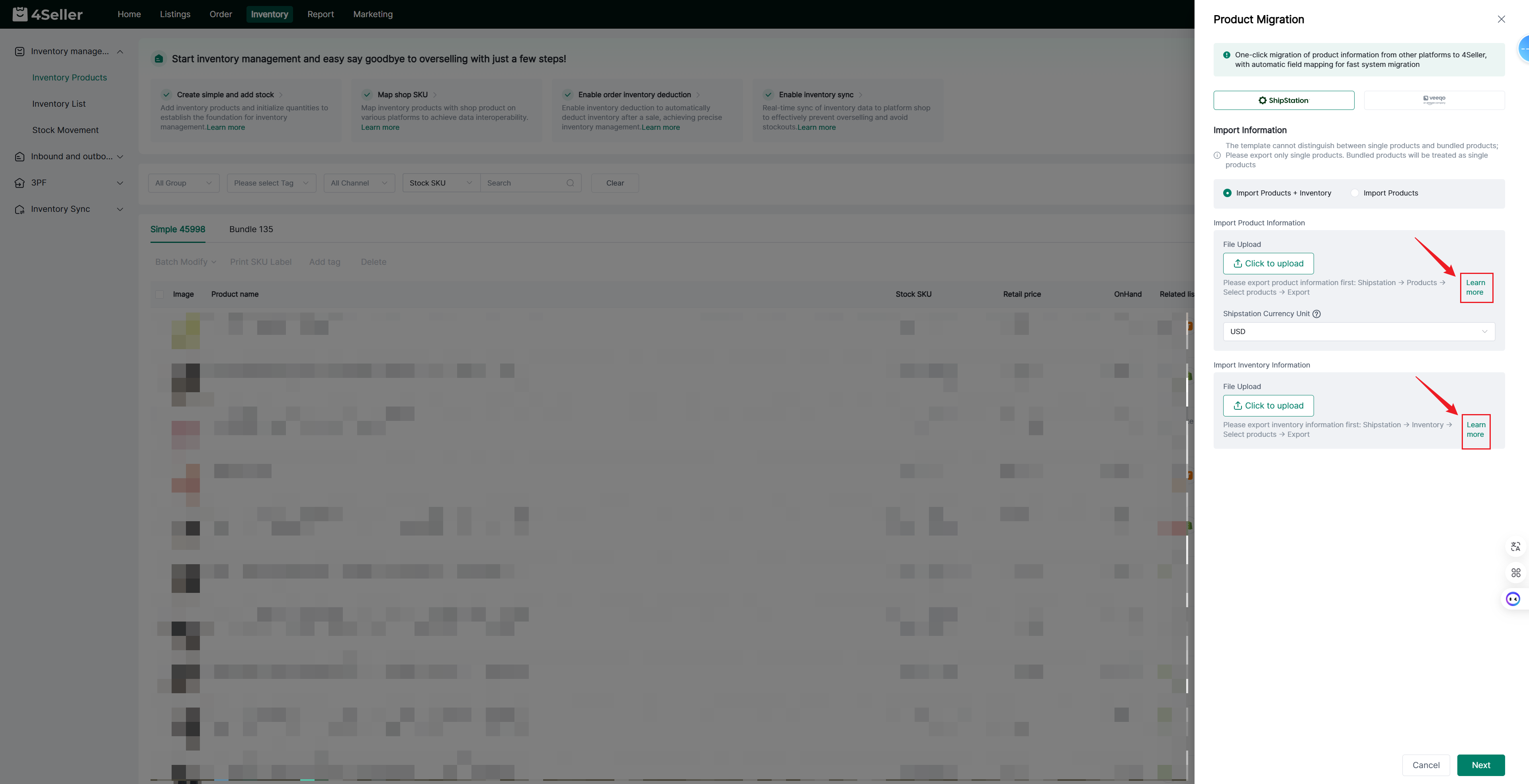
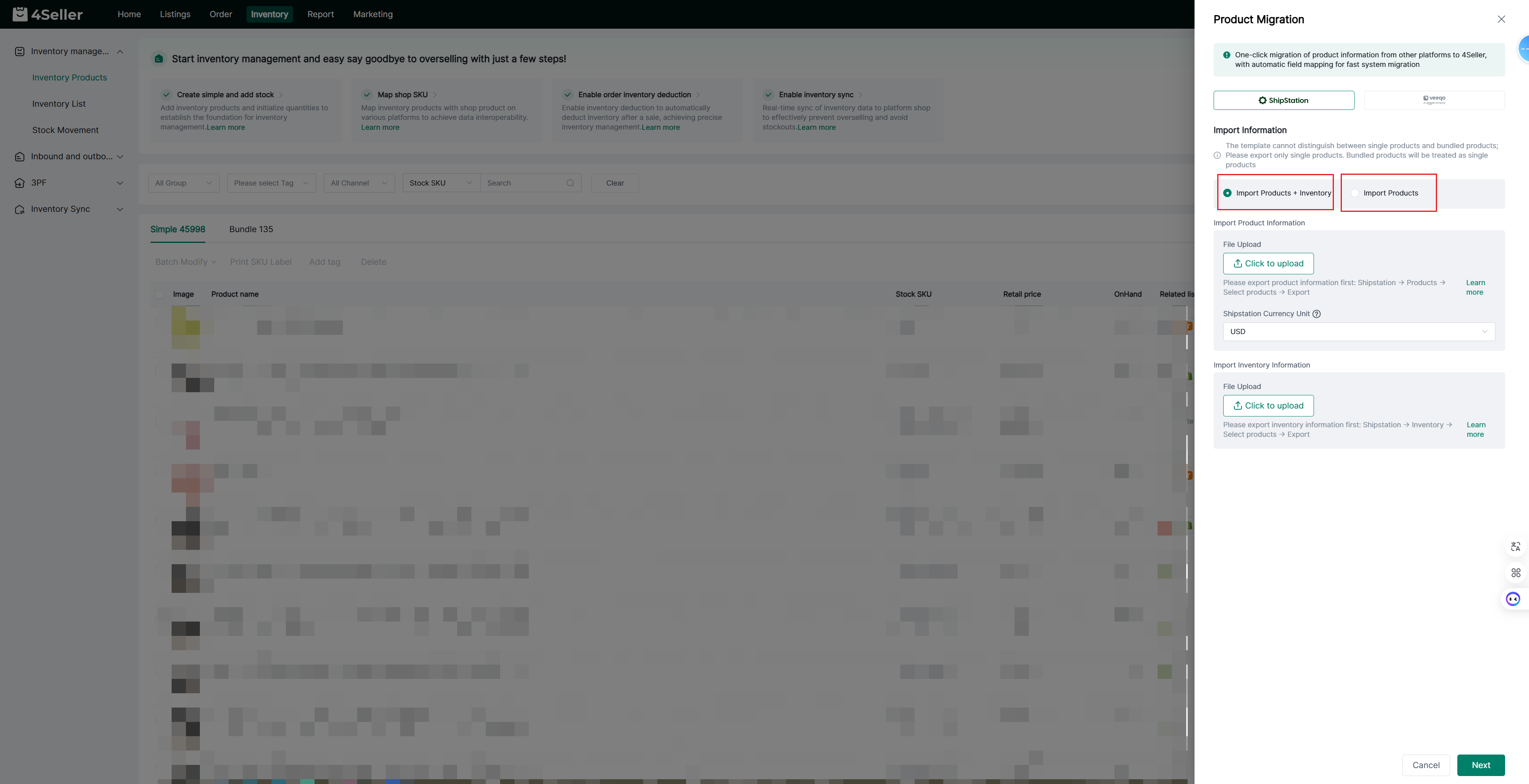
Step 3: When selecting ShipStation, you can choose between: "Import Products" or "Import Products + Inventory."
Selecting "Import Products" allows for the upload of product data only; selecting "Import Products + Inventory" enables the separate upload of product and inventory information.
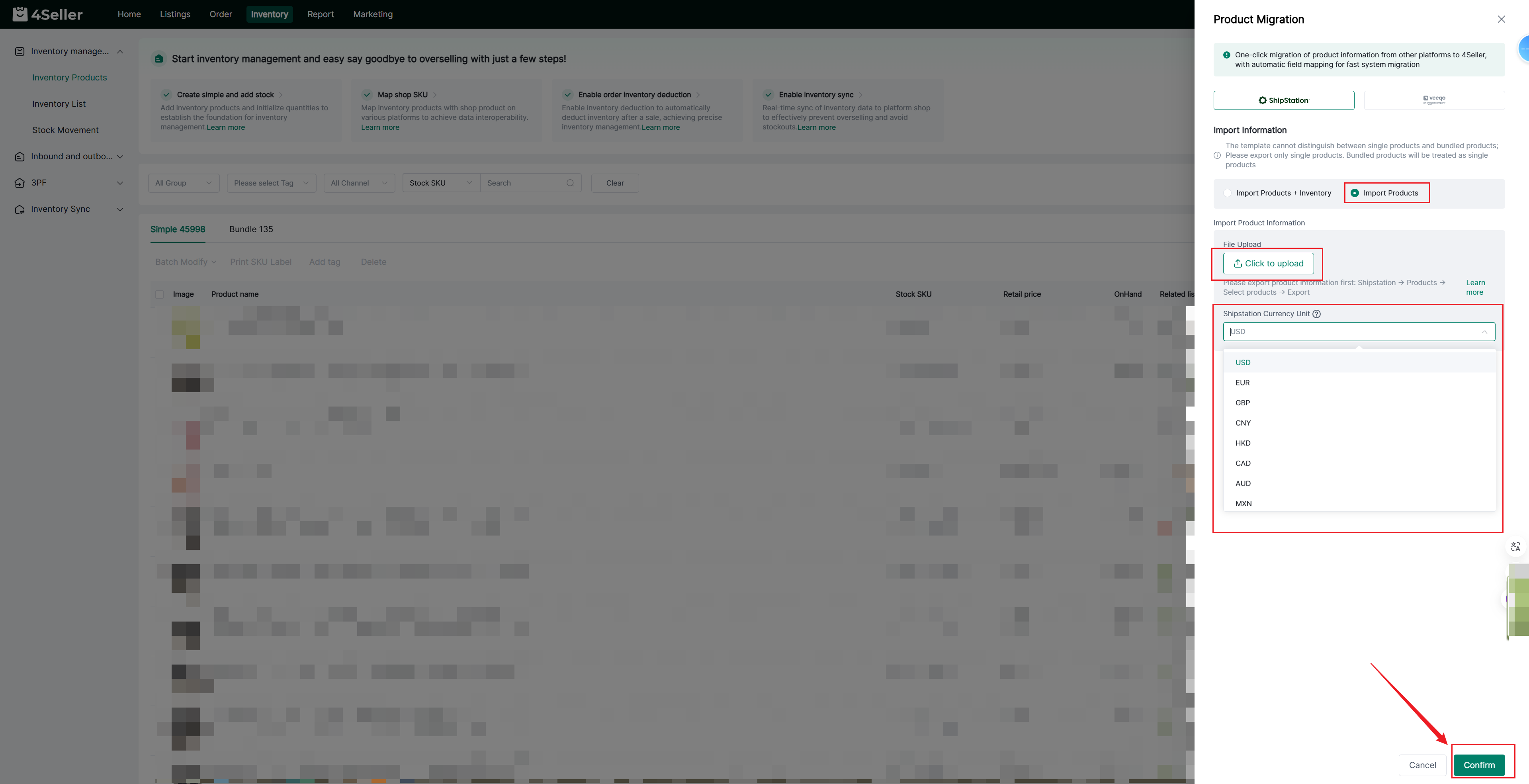
Importing Products:
1. Supports product data in CSV and Excel file formats.
2. Click to upload.
3. Select the currency unit used in ShipStation.
4. Click confirm to proceed with the import.
Notes:
1. A maximum of 5,000 rows can be imported at one time.
2. During the import process, values will be automatically converted from the selected currency unit to the currency configured in your 4Seller account.
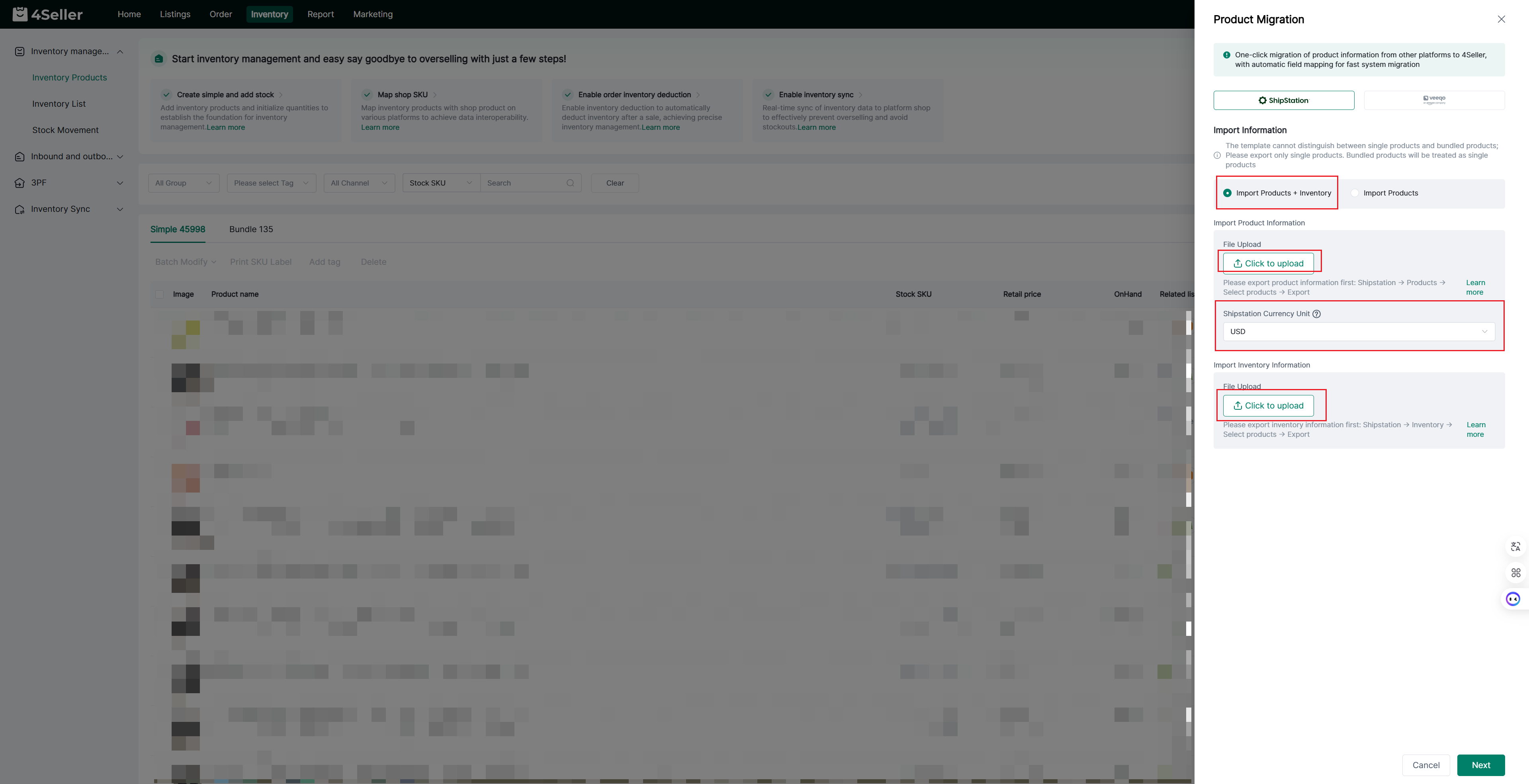
Import Inventory:
1. Supports product data in CSV and Excel file formats.
2. Click Upload.
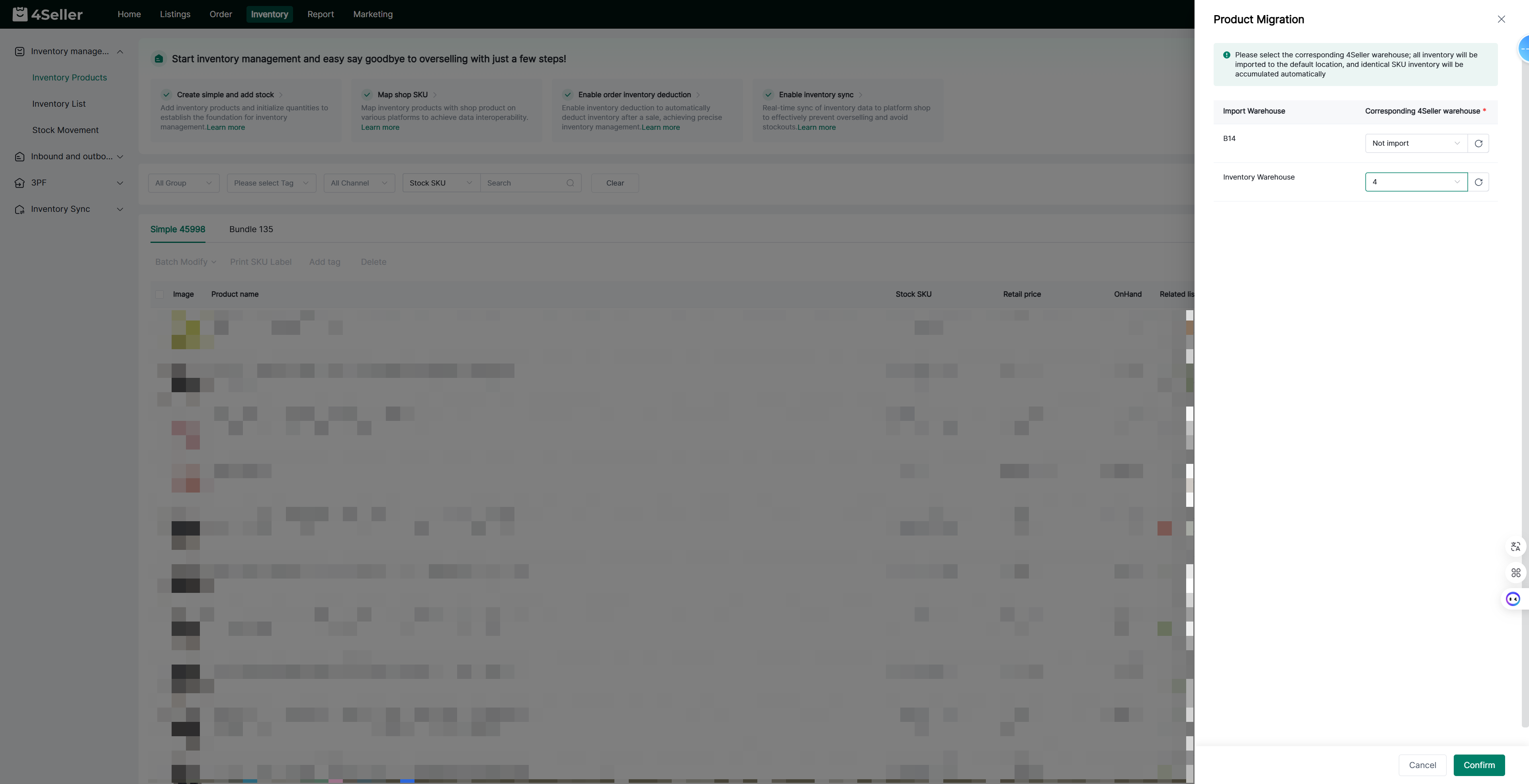
3. Click "Next" to complete the warehouse mapping.
4. Click Confirm
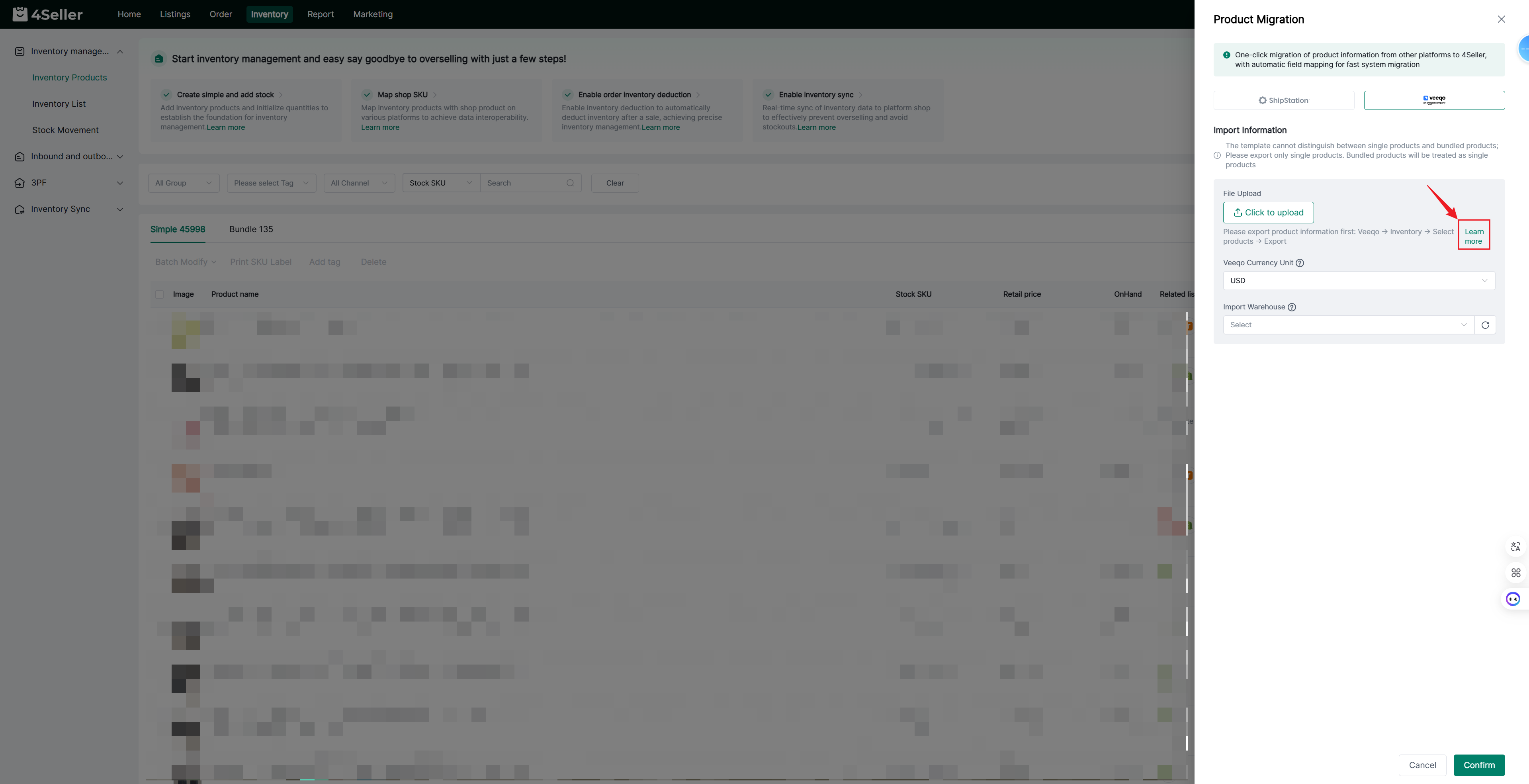
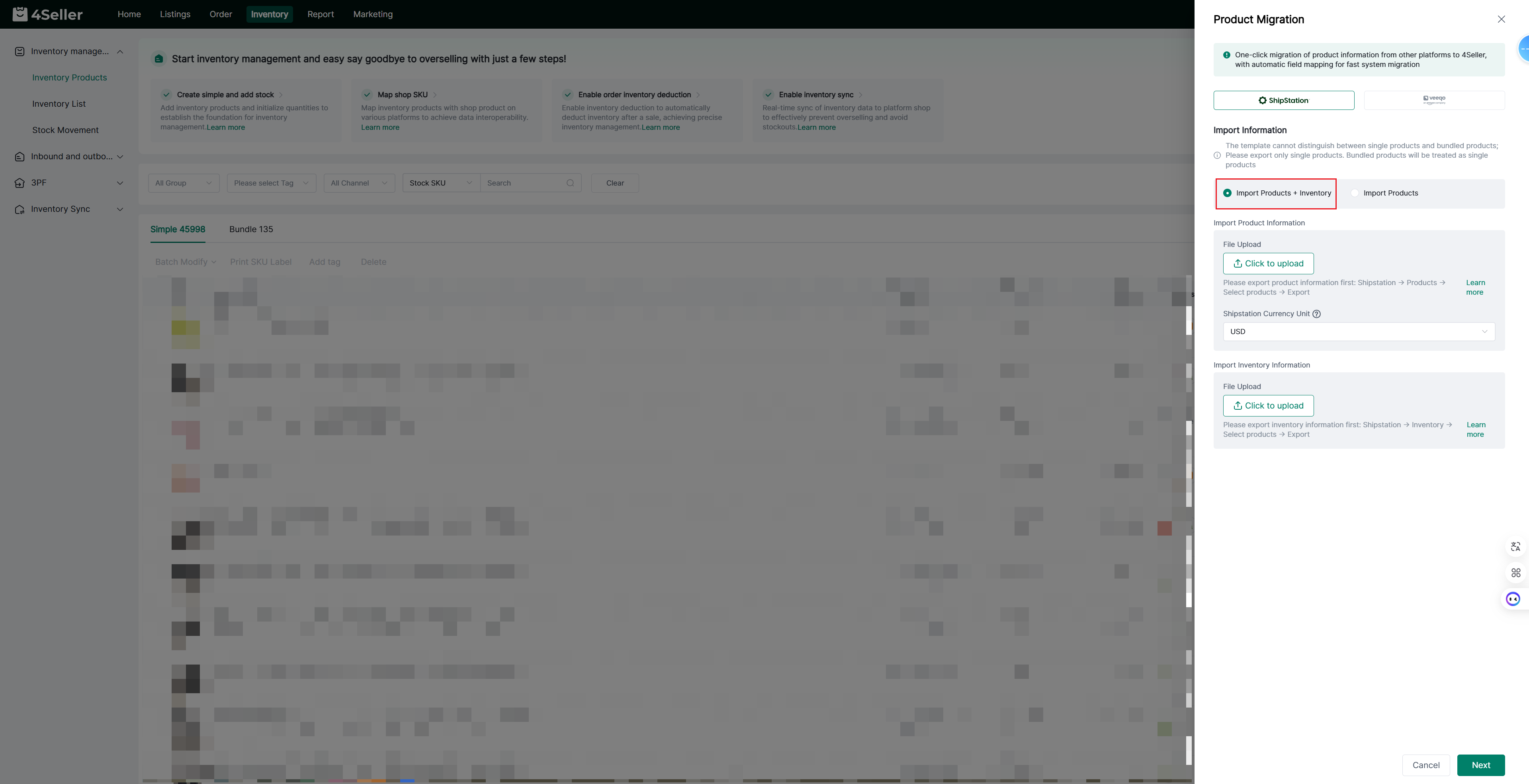
Step 4: When selecting Veeqo, you can import both product and inventory information using a single file
Importing Products and Inventory:
1. Supports product data in CSV and Excel file formats.
2. Click Upload.
3. Select the currency unit used in Veeqo.
4. Click "Confirm" to proceed with the import.
Notes:
1. A maximum of 5,000 rows can be imported at one time.
2. During the import process, data will be automatically converted from the selected currency unit to the currency configured in your 4Seller account.
Any problem feel free to contact 4Seller Support Team: support@4seller.com