- Get Started
- Video Tutorials
- Knowledge Base
- Channels
- Listings
- Inventory
- Orders
- Settings
- FAQs & Troubleshooting
How to sync inventory using Google Sheets?
4Seller supports a Google Sheets data integration feature. Once authorized, the system can automatically pull product data—such as SKUs and inventory levels—on a recurring schedule, while performing validation and mapping. This solution addresses common pain points, including the tedium of manual imports, synchronization delays, data leakage risks, and the complex configuration often required by third-party tools.

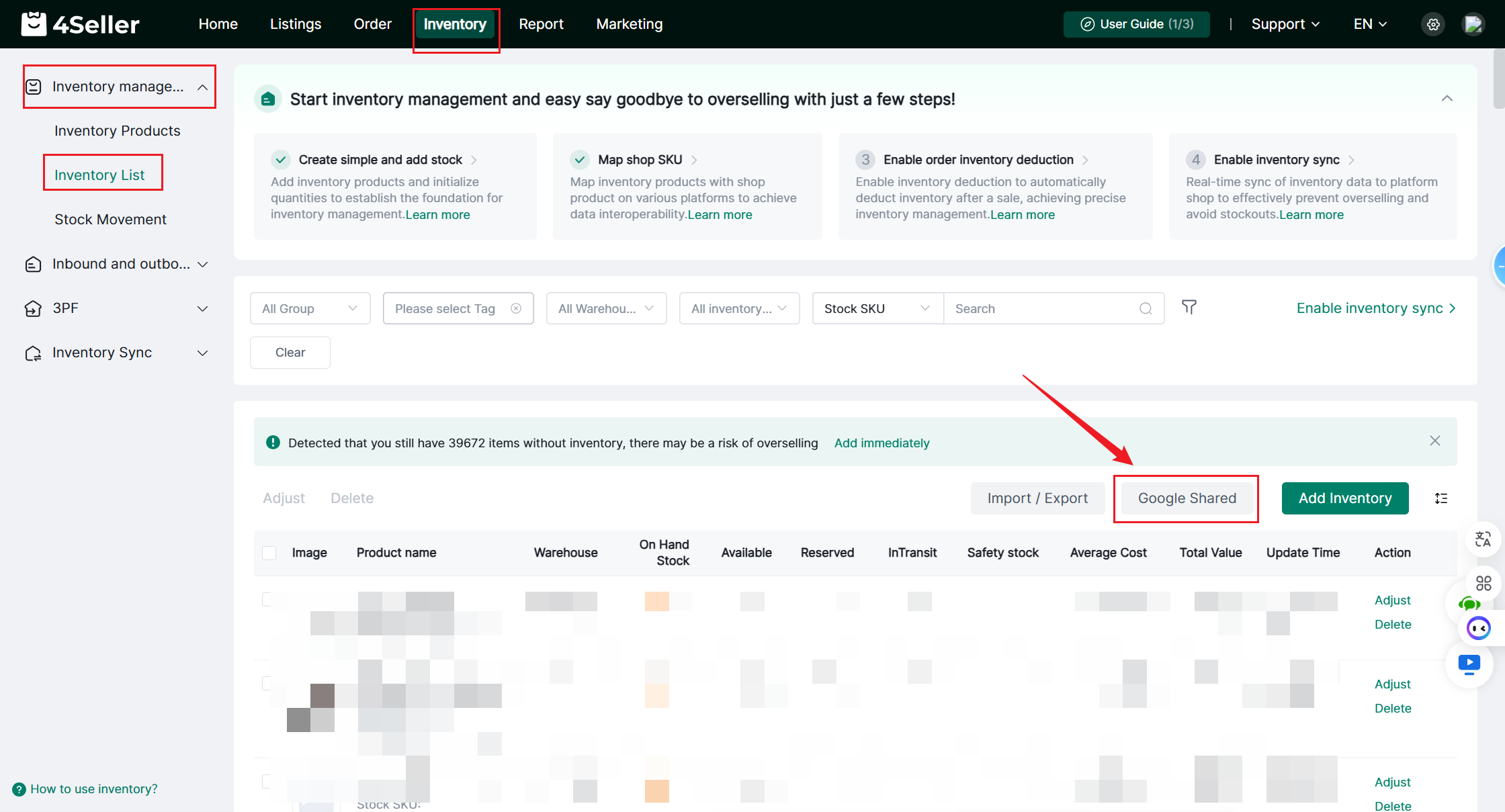
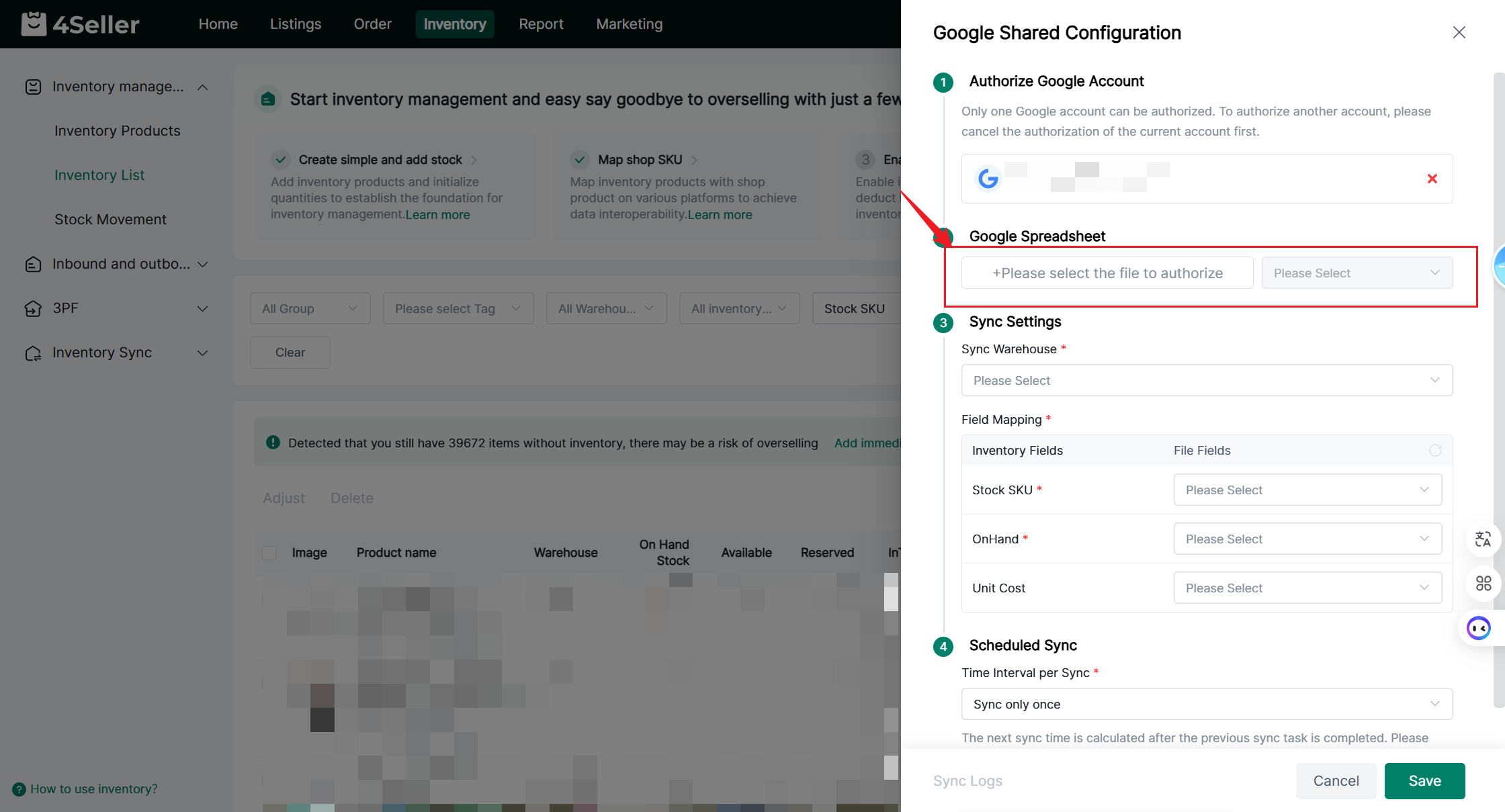
Step 1: Go to Inventory > Inventory List > Google Shared


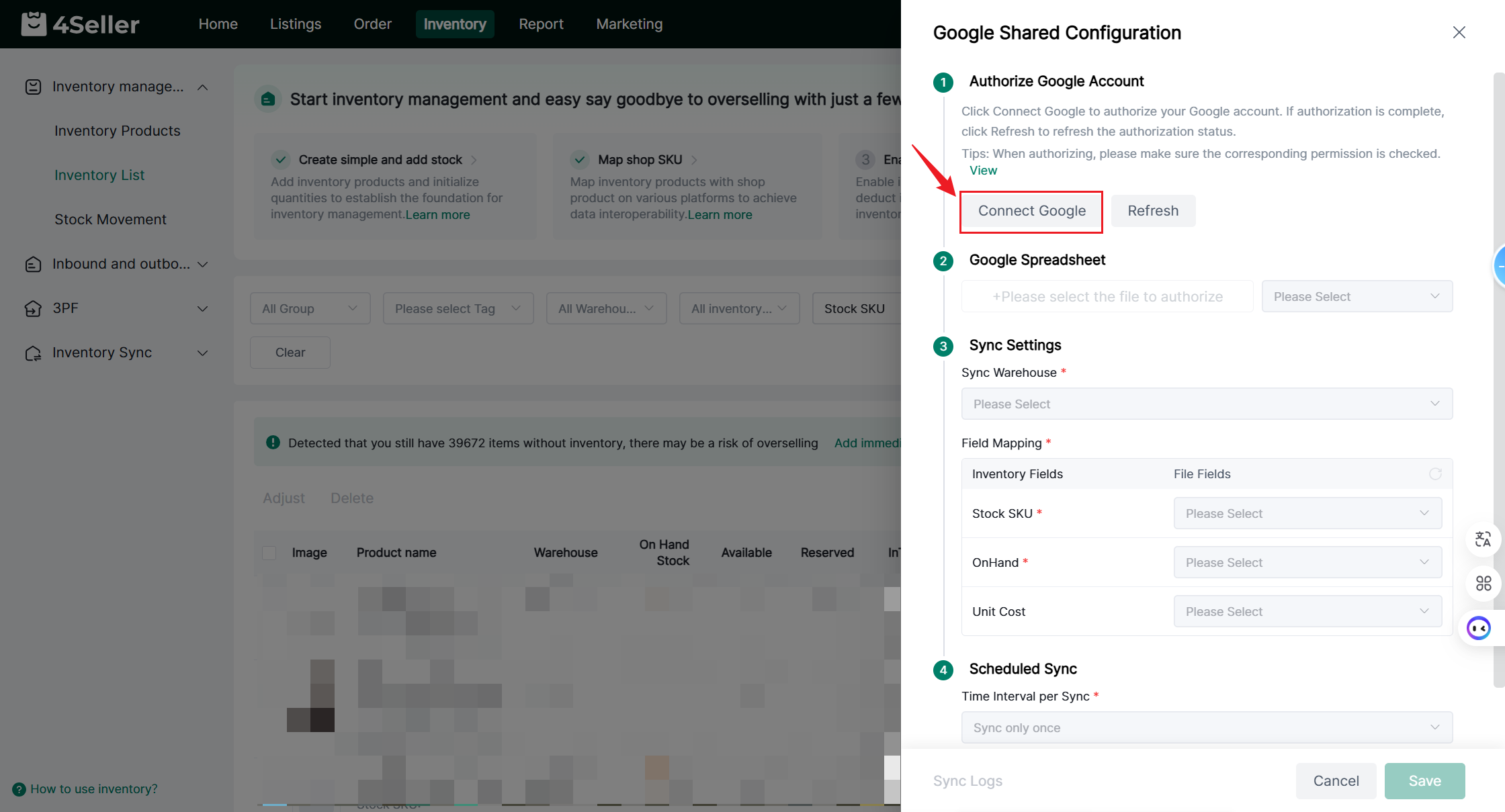
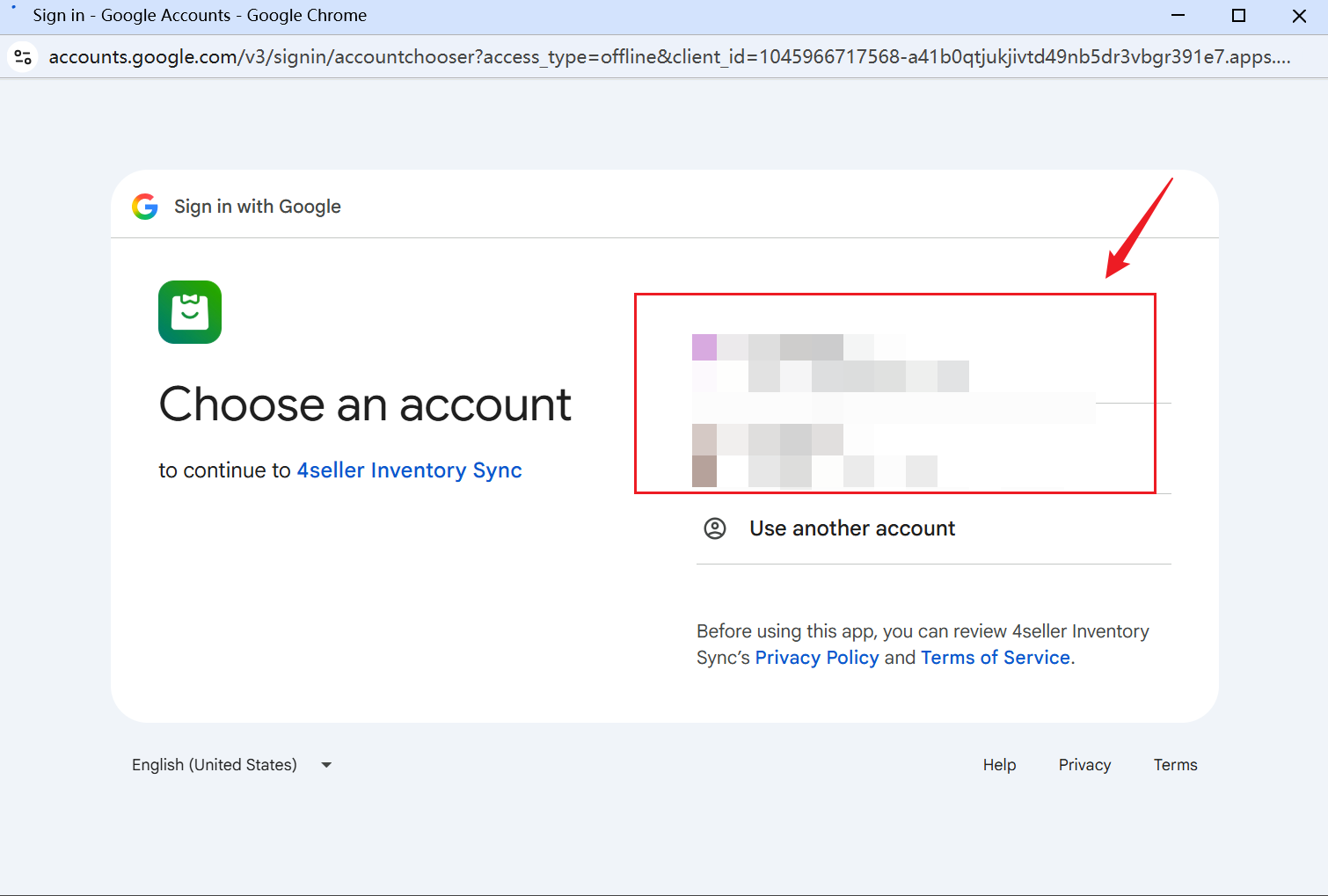
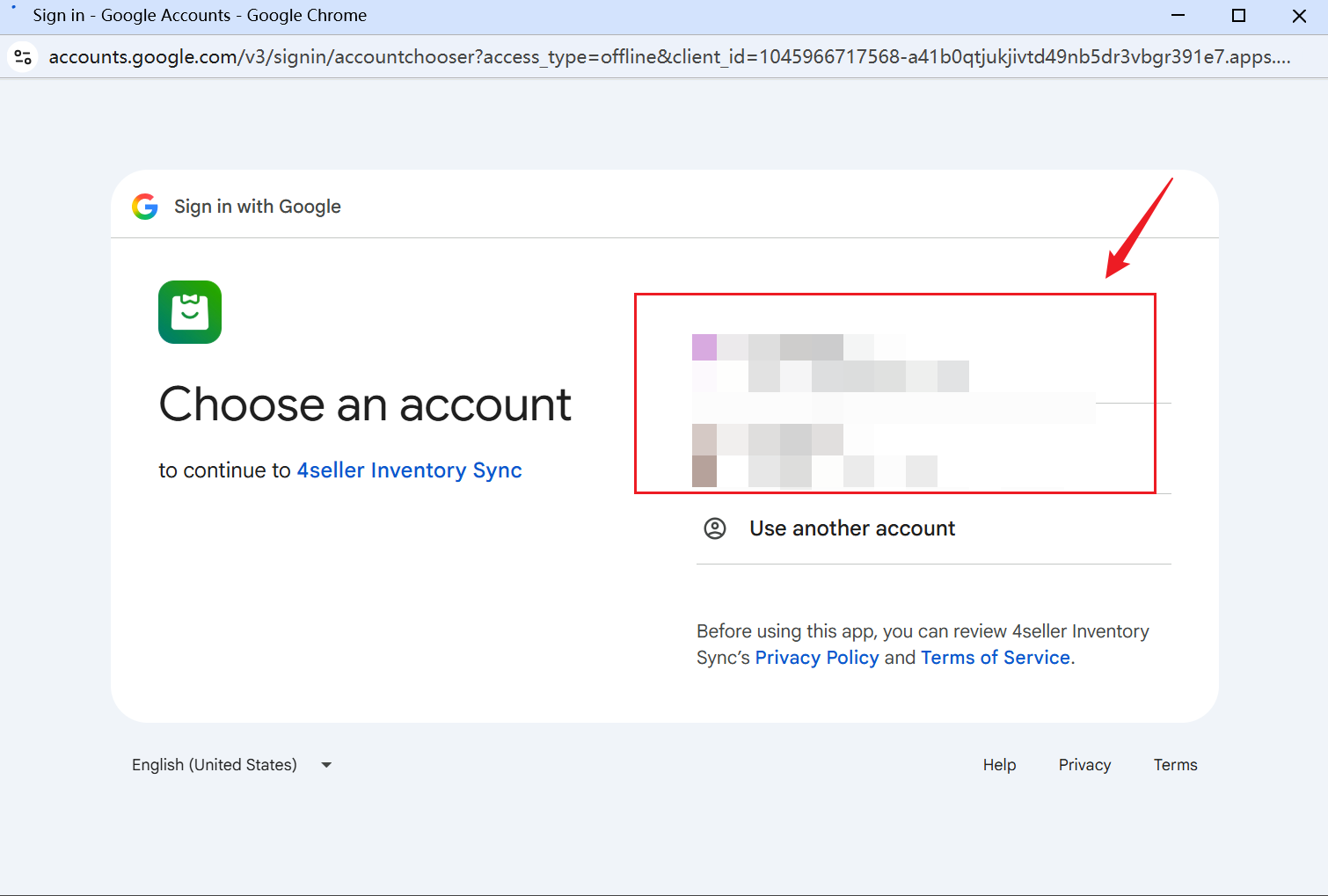
Step 2. Click "Connect Google" to open a browser pop-up window.


Supports refreshing; if authorization already exists, it will be displayed as "authorized" after a refresh


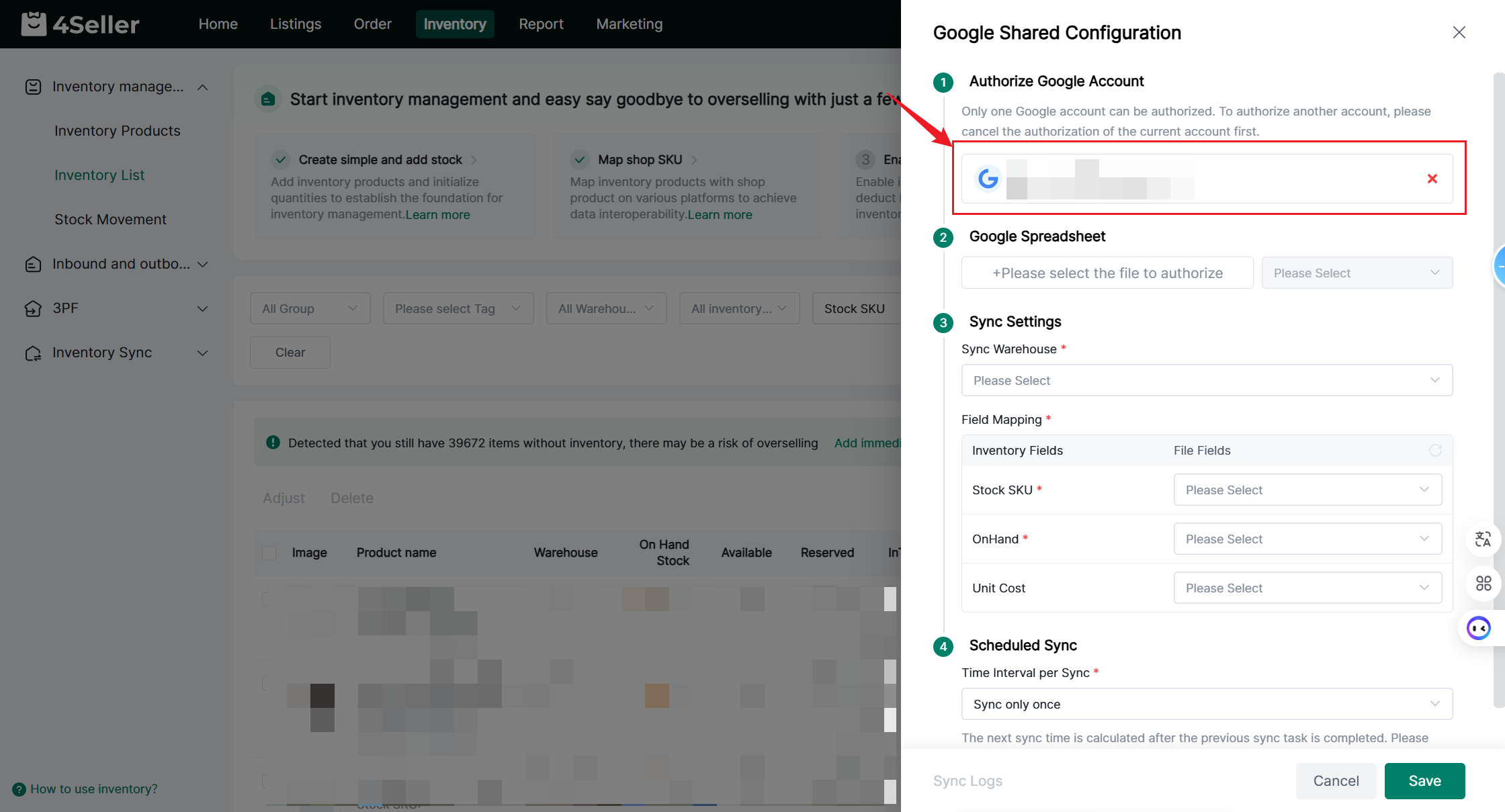
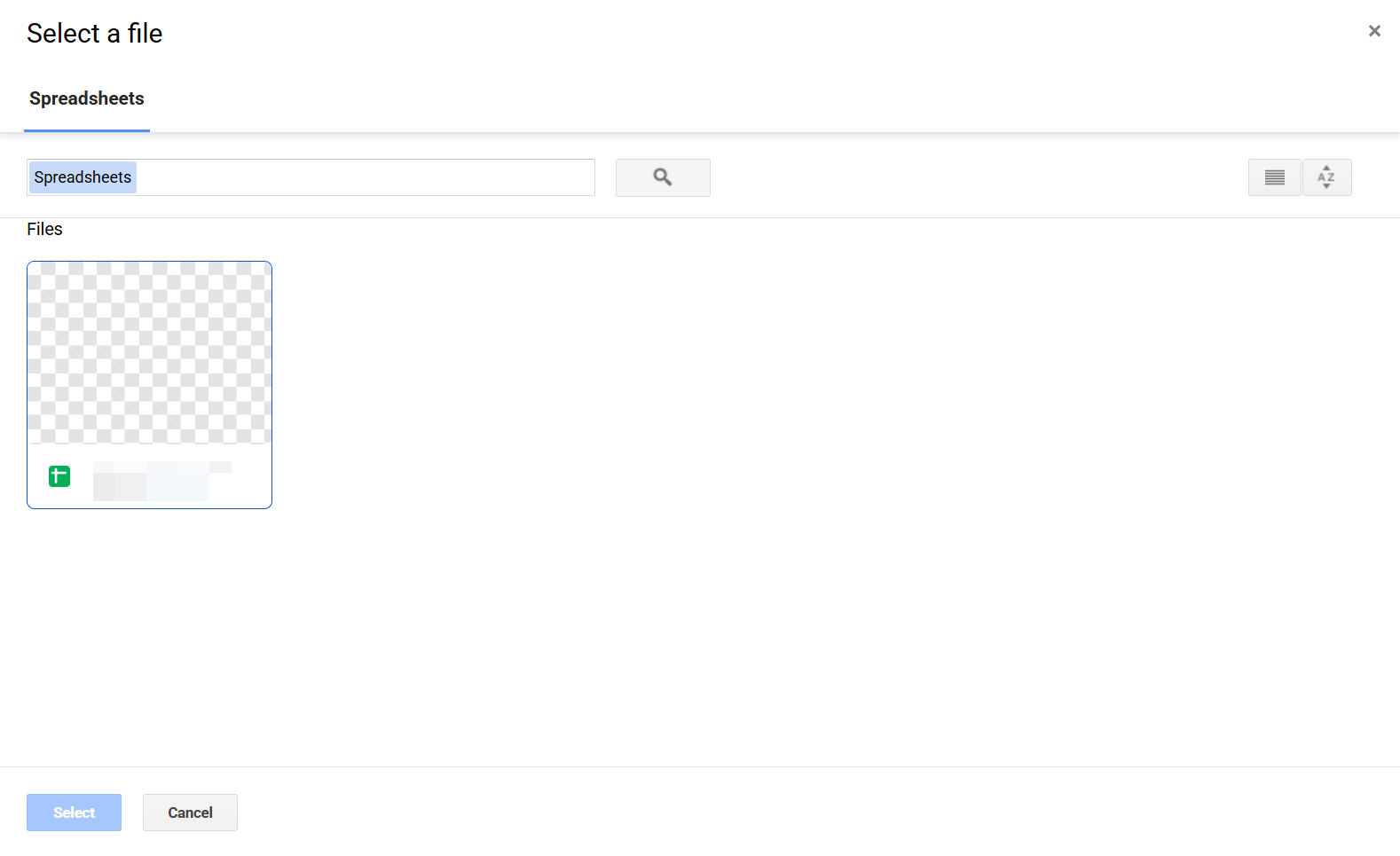
Step 3. Select the filename you wish to authorize. If the spreadsheet content cannot be retrieved, you will see a prompt: "Please verify that the sheet link is correct."


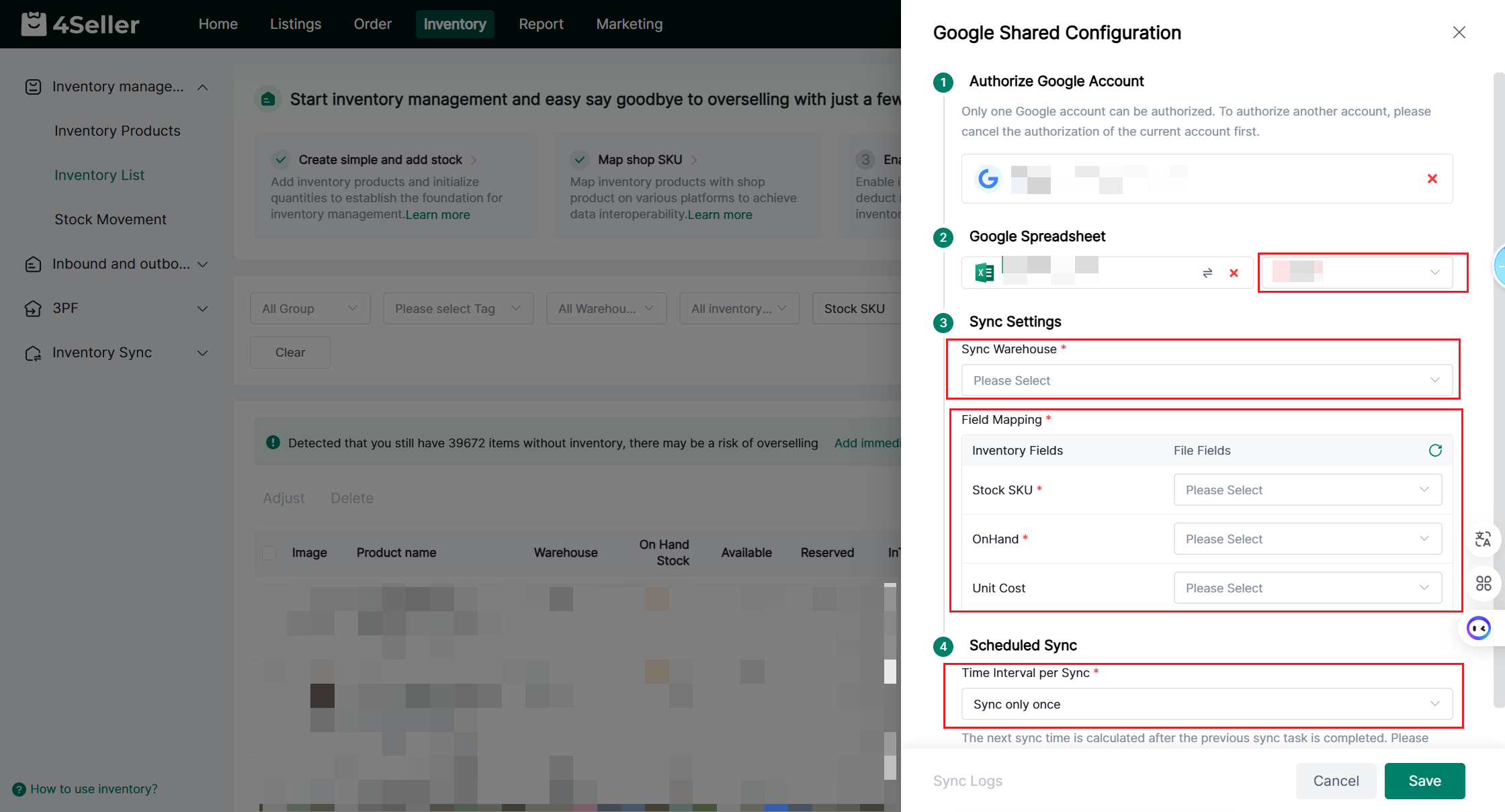
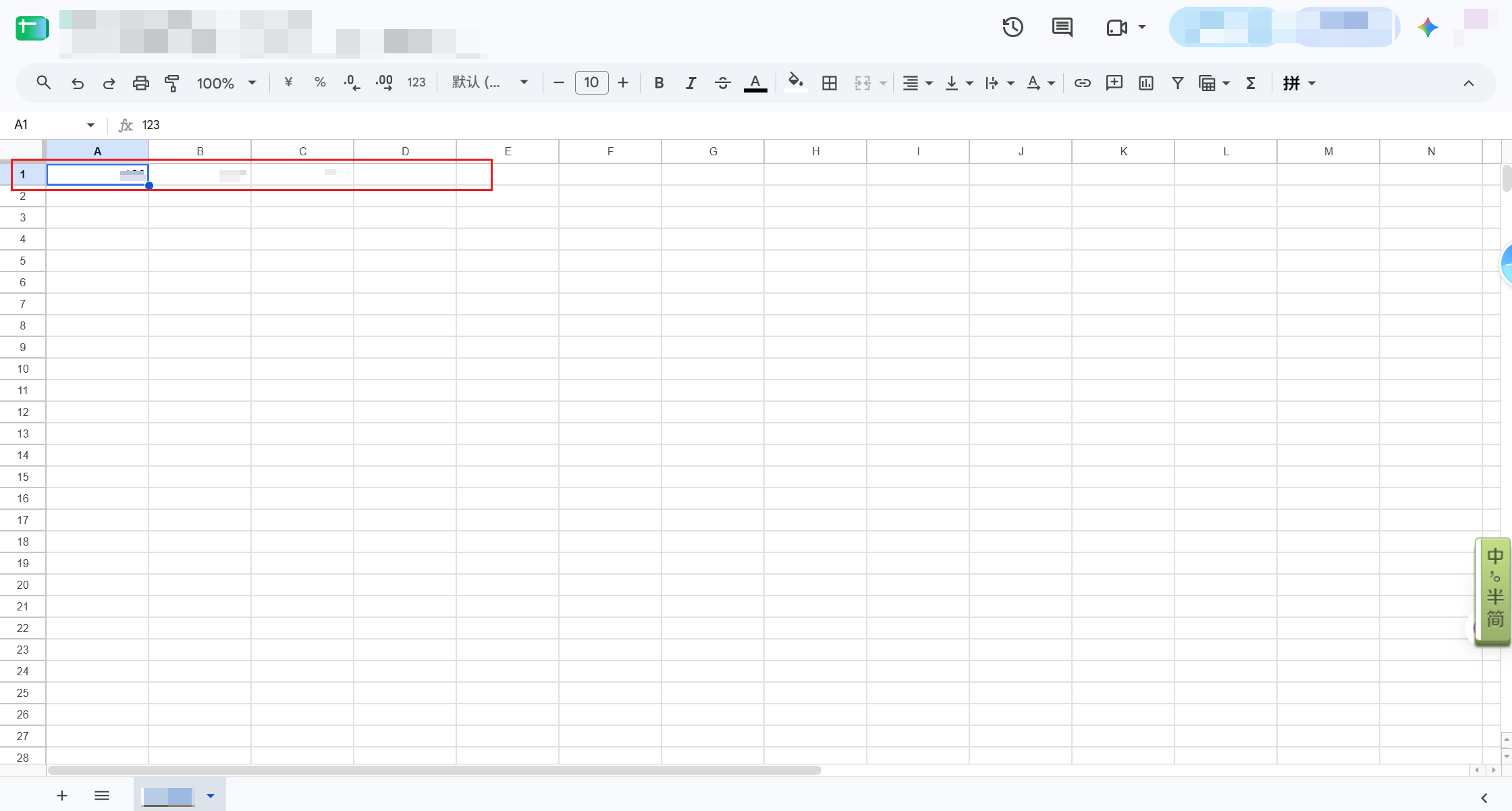
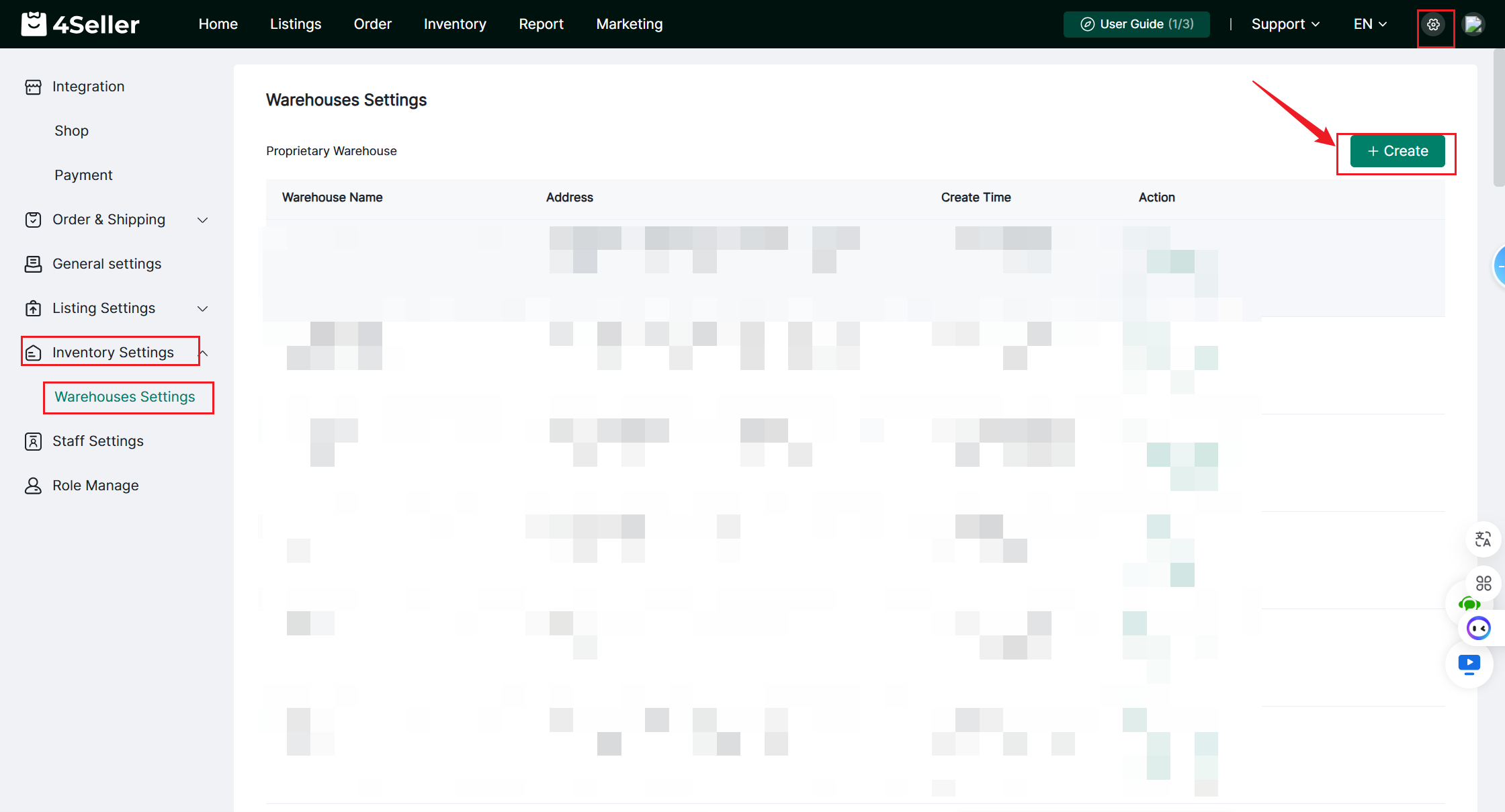
Step 4: After importing, you can select a specific worksheet (e.g., Sheet 1, 2, 3, etc.) from the spreadsheet. Please ensure that the synchronization repository is configured beforehand. The fields are derived from the information in the first row of the Google Sheet


You can select the warehouse at this location


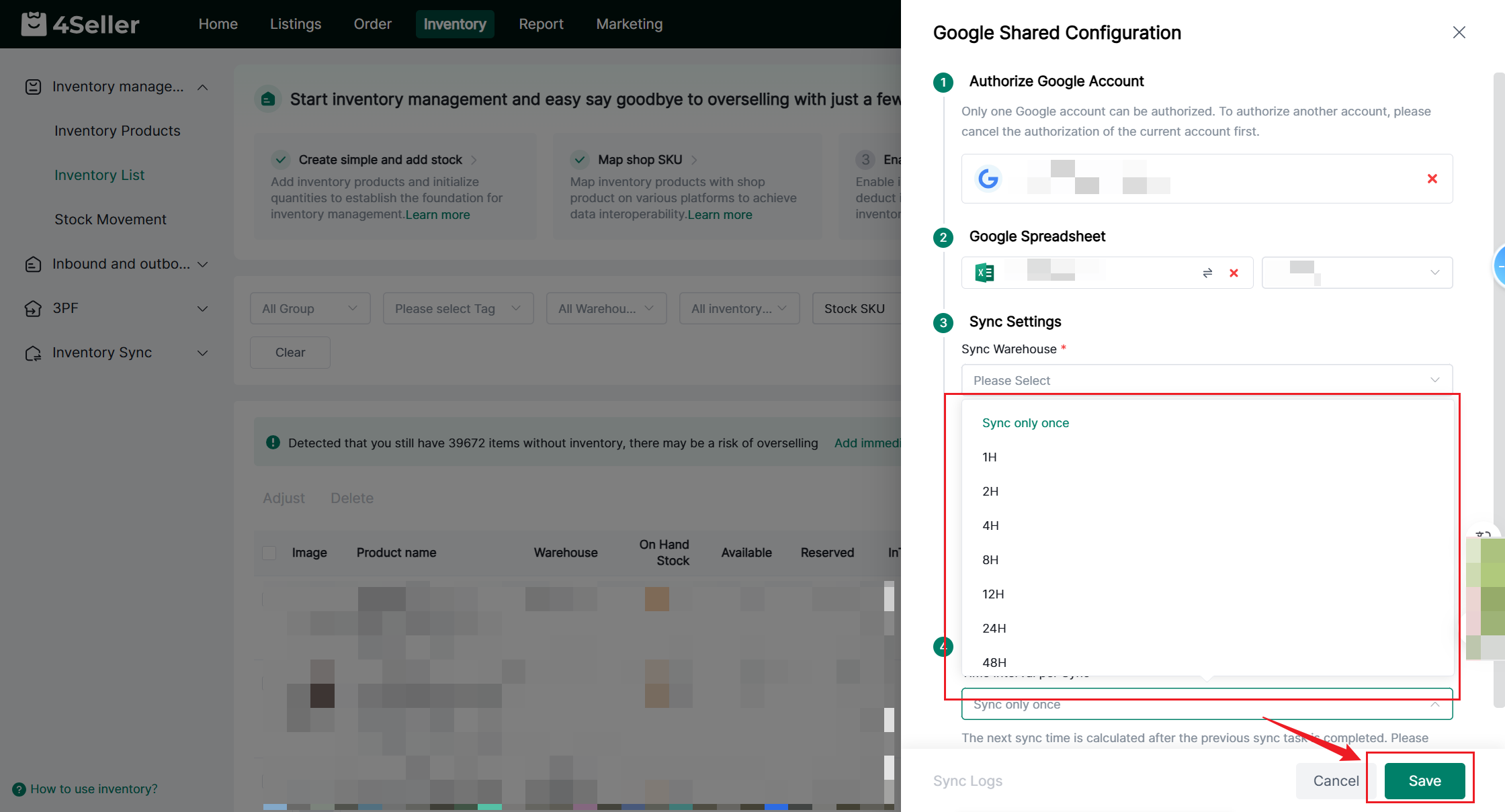
You can set the synchronization interval. Click Save once you have finished configuring it


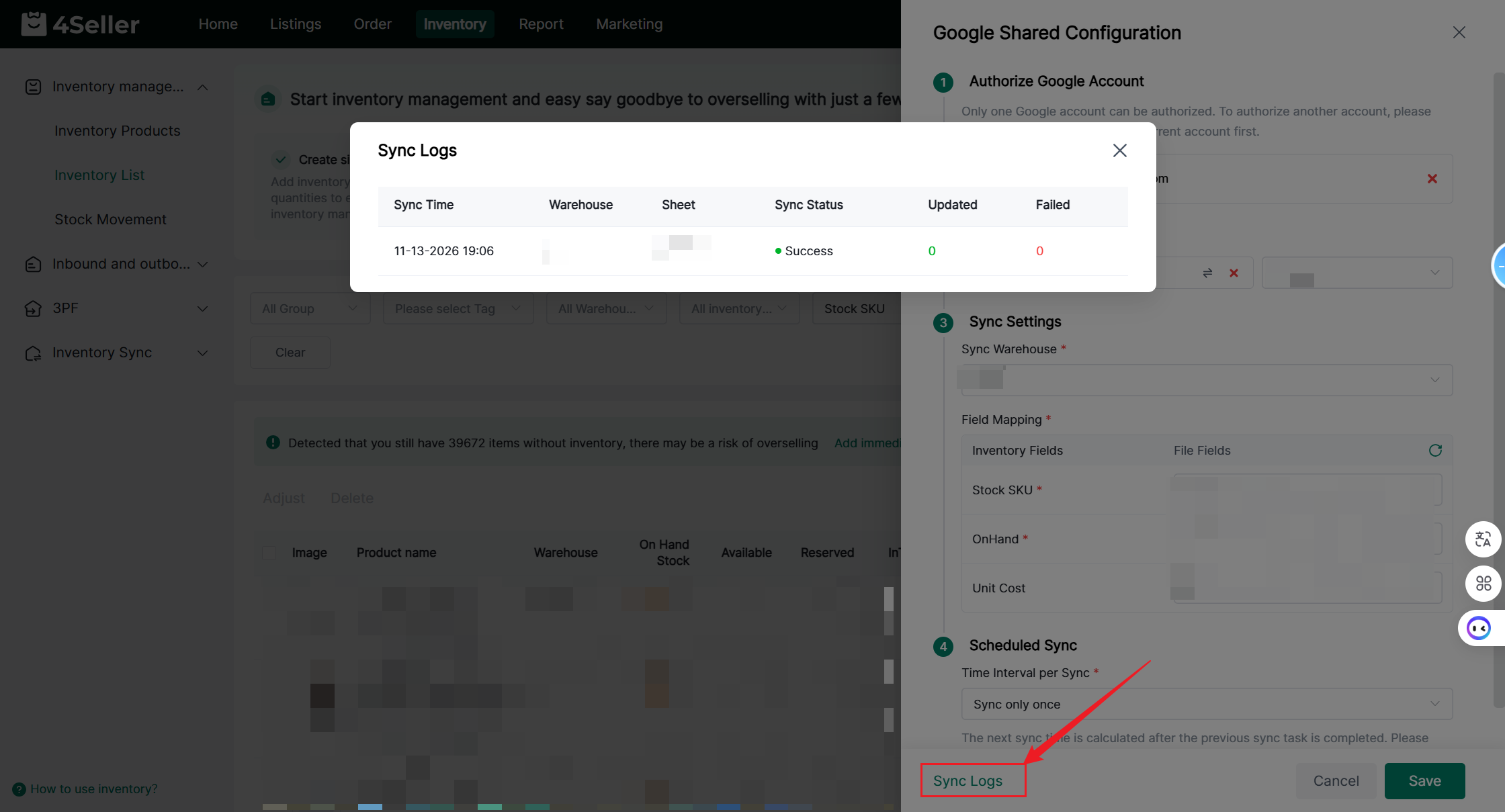
You can view the synchronization logs below


Any problem feel free to contact 4Seller Support Team: support@4seller.com.